After Effects Project: 3d Coin: is this $1 stack worth it for Films?
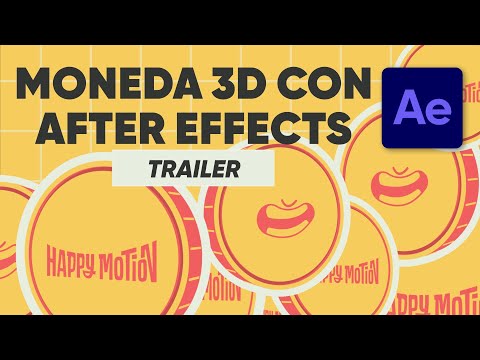
You’ve watched the tutorial. You’ve paused the video, tried to recreate the keyframes from memory, and ended up with a coin that looks like it’s made of cardboard or a rotation that snaps awkwardly at the 0:04 mark. The gap between “I understand the concept” and “I can actually build this in AE” is where most motion designers get stuck. Happy Motion’s 3D Coin project file bridges that gap by handing you the exact After Effects project used in their tutorial, so you can open it, inspect the layer structure, and learn by reverse-engineering a working asset rather than guessing at settings.
For one dollar, this is less about buying a finished asset and more about buying a reference blueprint. It’s a low-risk way to see how a specific 3D coin animation is constructed, which is far more valuable than a static screenshot or a vague description. If you are trying to level up your motion graphics skills and want to see the “under the hood” of a clean 3D object animation, this is a practical, no-brainer investment. (After Effects Project: 3d Coin)
Quick answer
| Best for | After Effects users who want to study the layer structure and keyframes of a 3D coin animation by opening the actual project file. |
| Skip if | You need a pre-rendered video file, you don’t own After Effects, or you are looking for a full motion graphics course. |
| Price | $1 |
| Format | 1 After Effects project file (303 KB) |
| One-line take | A $1 reference file that lets you deconstruct a working 3D coin animation instead of guessing at the tutorial. |
What you’re actually buying
At $1, you aren’t getting a massive library or a multi-hour course. You are getting a single, lightweight After Effects project file—just 303 KB in size—that contains the exact setup used to animate a 3D coin. This is a “study file” in the truest sense. When you open the 3D Coin project, you can see how the layers are organized, how the 3D properties are configured, and how the keyframes are spaced to create that satisfying flip or spin.
The value here is in the transparency. Tutorials often skip the “why” behind certain settings, but having the project file means you can toggle visibility, check the exact easing curves, and see how the 3D camera or light (if used) interacts with the coin. It’s a concrete example of motion graphics craftsmanship that you can dissect at your own pace. If you’ve ever watched a tutorial and thought, “Wait, how did they get that rotation to look so smooth?” this file gives you the answer directly in the timeline. (After Effects Project: 3d Coin)
Why it’s on our radar
This offer stands out because it solves a very specific, low-stakes problem: the disconnect between watching a motion design tutorial and actually replicating the result. Many creators publish tutorials but don’t share the source files, leaving students to reverse-engineer everything from scratch. By providing the project file for just $1, Happy Motion removes that friction entirely. (After Effects Project: 3d Coin)
It’s a smart, low-barrier entry point for anyone learning After Effects. You don’t need to commit to a $100 course to get a tangible asset you can learn from. The specificity of the deliverable—a single 3D coin animation—means it’s easy to digest, easy to test, and easy to apply to your own work. If you’re stuck on 3D object animations in AE, this is a cheap, effective way to see a working example up close.
What actually matters
Before you grab this, make sure you have After Effects installed and that you’re comfortable navigating the timeline and layer panel. This isn’t a plug-and-play template; it’s a reference file. You’ll need to be able to open the project, look at the layers, and understand what you’re looking at. If you’re brand new to AE, this might feel a bit dense, but if you’ve been using it for a few months, it’s a goldmine.
Also, keep in mind that this is a single project file. It’s not a pack of 10 coins or a full motion graphics suite. It’s one specific animation. If you’re looking for a broad library of 3D assets, this won’t scratch that itch. But if you’re focused on learning how to animate a 3D object cleanly in After Effects, the 3D Coin project is exactly what you need.
Mid-check
FAQ
Do I need to own After Effects to use this? Yes. This is an After Effects project file, so you’ll need the software to open and study it. It’s not a video file or a plugin.
Is this a template I can drop into my own project? It’s more of a reference file. You can copy the coin layer and its keyframes into your own project, but it’s designed to be studied and understood rather than just used as a drop-in asset. (After Effects Project: 3d Coin)
What’s the file size? The project file is just 303 KB, so it’s a very quick download. (After Effects Project: 3d Coin)
Is there a tutorial included? The project file is tied to a tutorial, but the file itself is the project. You’ll want to pair this with the tutorial to get the most out of it, but the file gives you the hands-on access to the setup. (After Effects Project: 3d Coin)
Bottom line
If you’re learning After Effects and want to see how a 3D coin animation is actually built, this $1 project file is a no-brainer. It’s cheap, specific, and gives you a working example to dissect. Don’t overthink it—grab it, open it, and learn from the setup.