Is CamelPhat Wrapper v 1.1 (VST & AU) worth it if you’re shopping in Music & Sound Design?
half the music tools you buy look clever in a demo and die in the project folder. You want something that slots into a real session this week.
CamelPhat Wrapper v 1.1 (VST & AU) from Passoni is a $10 option if you want structure instead of another half-finished plan. Here’s what stands out, who it fits, and what to confirm on CamelPhat Wrapper v 1.1 before you pay.
Quick answer
| Best for | Producers who want a focused tool at $10 and will check previews before checkout. |
| Skip if | You need free plugins only, or a fully custom build for your exact DAW setup. |
| Price | $10 |
| Format | CamelPhat max4live Wrapper |
| One-line take | Worth a look at $10 if the live page’s deliverables match your job. |
If that still sounds like you, see CamelPhat Wrapper v 1.1 pricing and what’s included before you commit.
What you’re actually buying
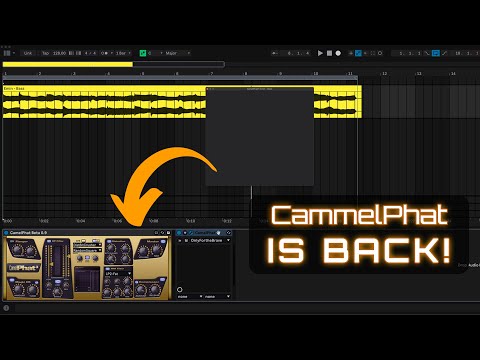
CamelPhat Wrapper v 1.1 (VST & AU) from Passoni sits at about $10—cheap enough to test if you’re looking for a specific bridge between CamelPhat and Ableton Live. The wrapper gives you full GUI access and functionality, including clicking, mapping, and automating, which is a big win for producers who rely on visual control and tweakable parameters.
The package includes both VST and AU versions, which is a solid move considering the compatibility issues with Apple’s M1/M2 chips and the VST format. The AU version comes with a floating GUI window, making it easier to manage without cluttering your Live interface. This is a subtle but useful feature for people who work across multiple DAWs or setups.
Passoni also added an Effect Rack preset with an XY Pad to compensate for some of the limitations in Max4Live. It’s a practical workaround for those who need that kind of control, even if it doesn’t perfectly match the original plugin’s behavior. The wrapper itself doesn’t include the CamelPhat plugin—so you’ll need to have that already installed, which is a minor but important note for first-time buyers.
The release notes mention a bug in the BP Filter link section, where sliders don’t behave as expected, but the frequency is still visible. It’s a known issue, and the seller is open to feedback, which is a good sign for ongoing support. Overall, this is a niche but specific solution for users who want CamelPhat to work seamlessly in Ableton Live with full control and compatibility.
Additionally, the wrapper is version 1.1, indicating it’s an updated release that likely includes bug fixes or minor improvements over earlier versions. The VST version is specifically noted as being used due to inaccurate parameter info in the AU version when using Max4Live, which is a technical detail that could matter for users with specific setup needs. The Effect Rack preset is provided as a downloadable file, and the floating GUI window is a feature exclusive to the AU version, adding flexibility for macOS users.
Why it’s on our radar
This isn’t a full CamelPhat plugin — it’s a wrapper that bridges the gap between the original CamelPhat and Ableton Live. That’s a specific job, and it’s one that’s easy to overlook until you’re deep in a session and need that exact kind of modulation and filtering. The fact that it includes both VST and AU versions, with a floating GUI for AU, is a small but meaningful detail for people who need flexibility across DAWs and hardware. It’s also a rare solution for those who already have CamelPhat installed but need it to function properly in Live. At $10, it’s a low-risk test if you’re looking for a focused, no-fluff tool that actually works in a real session.
What actually matters
- Does it include the CamelPhat plugin? No — you’ll need to have that already installed. This is a key detail to check before purchasing.
- Are both VST and AU versions included? Yes, which is a solid move for compatibility with modern systems and workflows.
- Is the GUI fully functional? Yes, with mapping, clicking, and automation support — a big win for producers who rely on visual control.
- Are there workarounds for the XY pad and BP Filter issues? Yes, in the form of an Effect Rack preset — a practical solution for a known limitation.
Mid-check
FAQ
What’s the main use case for this wrapper?
It’s designed for users who already have CamelPhat installed and want it to function properly in Ableton Live with full GUI access and parameter control.
Can I use this with a different DAW?
The VST version should work in most DAWs, but the AU version is optimized for macOS and Apple’s ecosystem.
Does the wrapper fix all of CamelPhat’s issues in Live?
No — there are still some limitations, like the BP Filter link section not working as expected. But the seller provides a workaround with an Effect Rack preset.
Bottom line
If you’re already using CamelPhat and need it to work seamlessly in Ableton Live, this is a $10 solution that gets the job done — with a few known limitations and a practical workaround. It’s not for everyone, but for the right user, it’s a focused, no-frills tool that fits into a real session.